



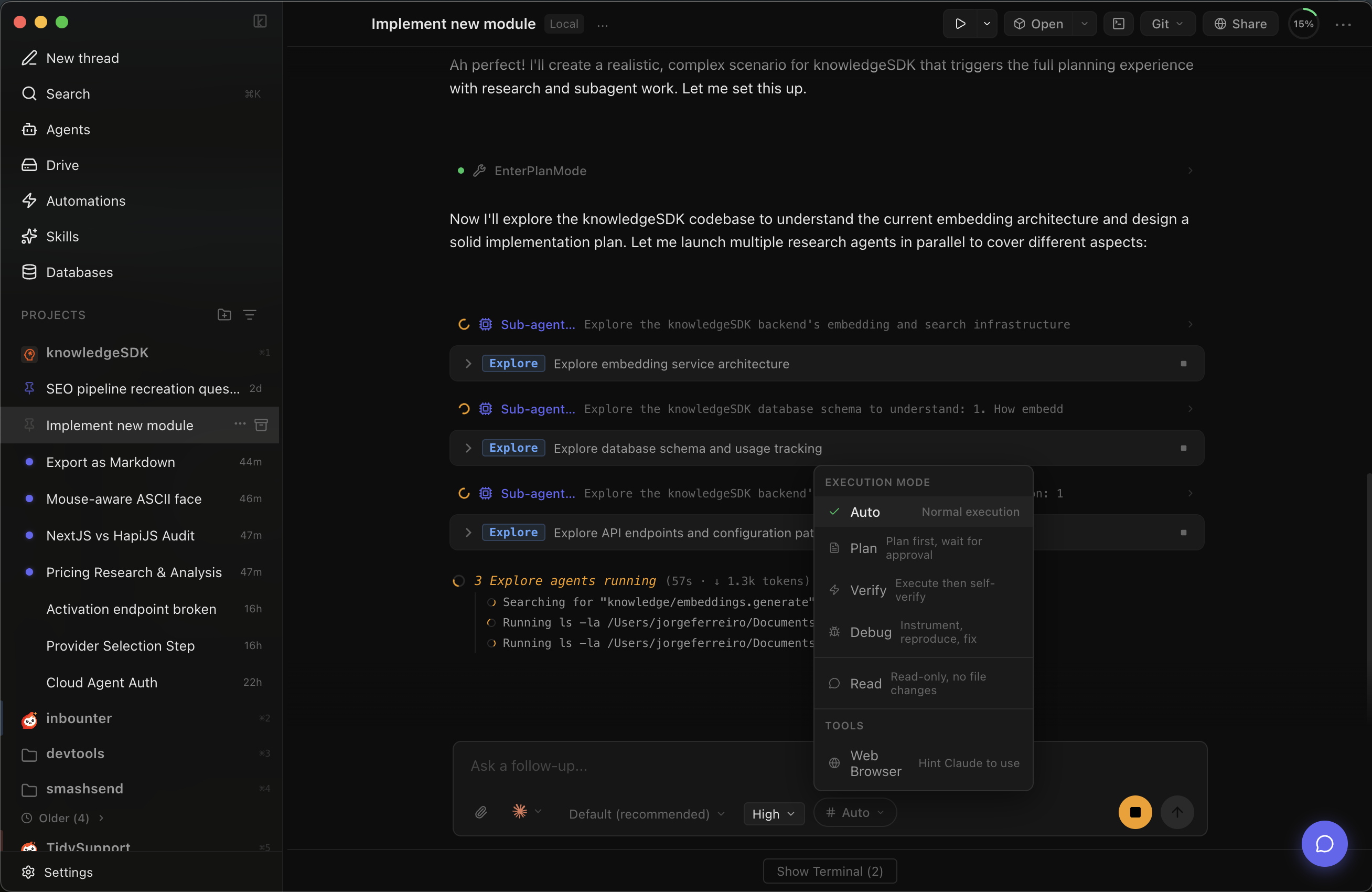
The problem
AI agents are powerful.
But you’re using them blind.
You launch agents in terminals. They edit files you don’t see. They spend money you can’t track. They hit rate limits and stop. You find out when something breaks.
The solution
Your command center for AI agents
Features
Everything you need to ship with agents
Cost Intelligence
See every dollar before it’s gone
Per-message costs, running totals per thread and project, instant alerts when a call exceeds your threshold. Never burn $47 in a blind session again.
Learn more →$ superbuilder agent start
✓ Worktree created: feature/auth-flow
✓ Agent running in background
...
$ superbuilder agent status
● 23 files changed · $1.42 · 14 turns
✓ All tests passing
Background Agents
Launch agents that build while you sleep
Autonomous agents in isolated git worktrees. They build in the background while you keep coding. Review the diff, merge, or discard.
Learn more →Smart Queue
Queue tasks. Walk away. Ship by morning.
Rate limited? SuperBuilder queues your message and retries when the window resets. Stack tasks before bed, wake up to finished work.
Learn more →Branch Battle
Same prompt, two worktrees, two approaches. Compare side by side and pick the winner.
Debug Mode
Claude hypothesizes, instruments logging, you reproduce, it pinpoints the fix from real data.
Ask Mode
Read-only exploration. Claude answers questions without touching a single file.
Real Terminal
Not a sandbox. A real PTY. Every command runs natively on your machine.
Model Switching
Haiku for exploration, Opus for heavy lifting. Switch mid-conversation.
Multi-Project
Projects and threads in a persistent sidebar. Switch context without losing history.
GitHub Event Loop
PROAuto-spawn background agents when CI fails, bugs are filed, or PRs need review. Your codebase fixes itself while you sleep.
You already pay for API keys.
Why pay twice?
Cursor charges $20/mo. Windsurf charges $15/mo. Both route to the same LLMs you already have access to.
Meanwhile, Cursor users see this...

4.71 GB. For a text editor.
Why I built this
Real pain, real messages
The actual conversations that led to each feature.
Up and running in 60 seconds
Download
One DMG. No dependencies. No sign-up.
Add your API key
Paste your Anthropic key. It never leaves your machine.
Start building
Point it at a project. Launch agents. Ship code.
Start building.
Free and yours to keep. Bring your API key and ship.
Free forever · Launching soon